Promoters
Your dashboard
Tickets, revenue, sales over time, page views and your committee at a glance.
1Open the Dashboard
Dashboard is the first item in the promoter menu. It opens on your next event; use the Event picker at the top to switch events or choose All events for your totals.
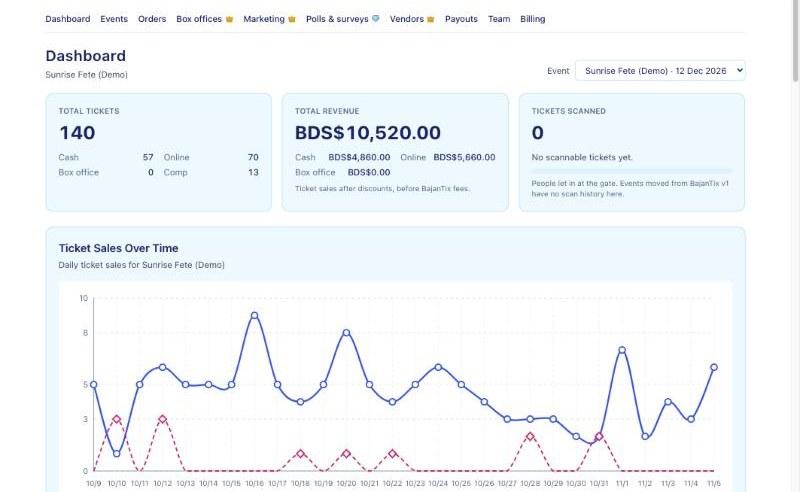
The promoter dashboard with ticket, revenue and scan totals 2Read the totals
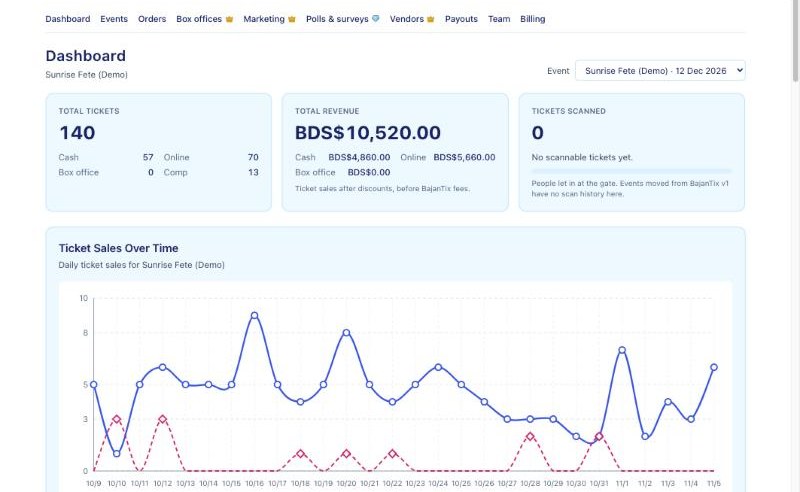
Total tickets splits into cash, online, box office and comp tickets. Total revenue shows ticket sales after discounts and before BajanTix fees, split into cash, online and box office. Tickets scanned shows how many people have been let in.
3See when tickets sell
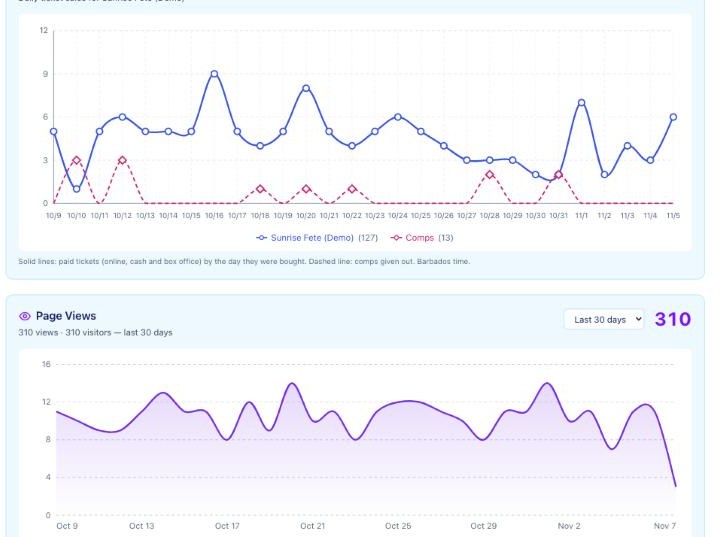
Ticket Sales Over Time shows tickets sold each day (solid lines) and comps given out (dashed line). Hover a dot to see the day's number. Page Views shows how many people looked at your event page and where they came from: Instagram, Facebook, TikTok, direct or other sites.
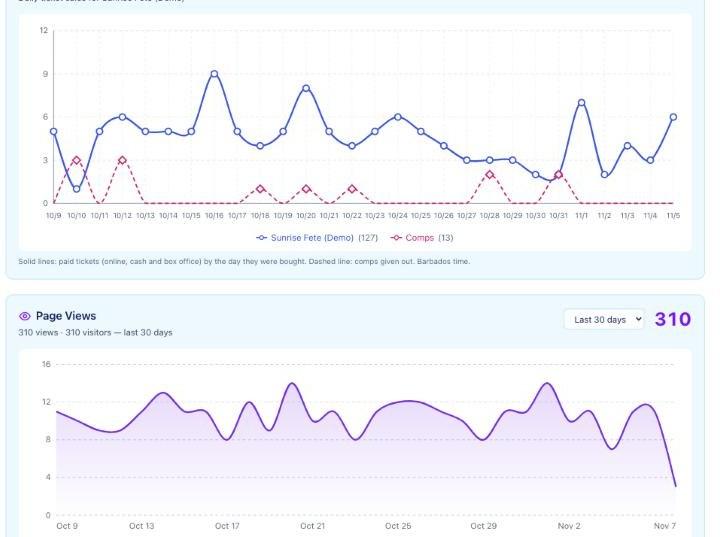
Ticket Sales Over Time and Page Views charts 4Check your committee and cash
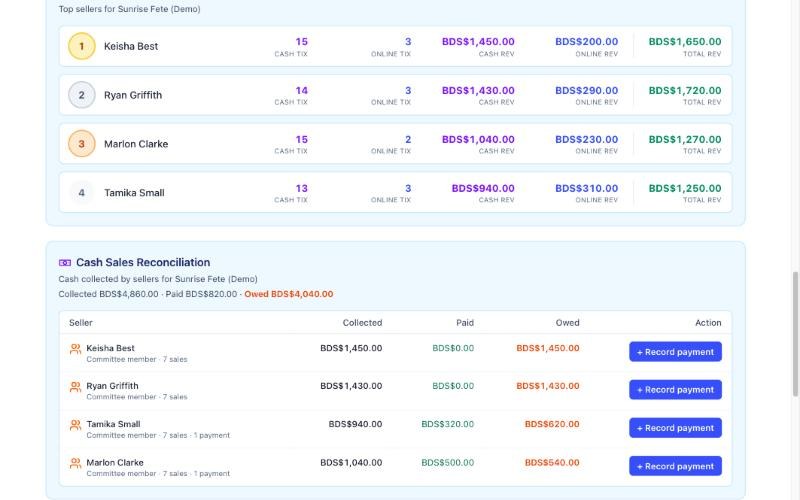
With one event picked, the Committee Leaderboard ranks your sellers and Cash Sales Reconciliation shows what each one collected, has handed in and still owes. Press Record payment when someone hands in cash. Tickets by Type and Comp Ticket Breakdown complete the picture.
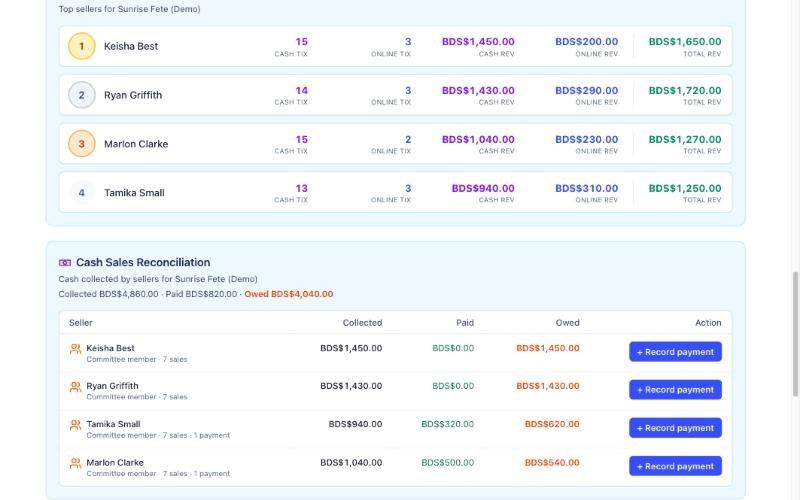
Committee Leaderboard and Cash Sales Reconciliation