Promoters
Ticket types and sales periods
Prices, quantities, sales windows, hidden tickets and sold out.
1Add or edit a ticket type
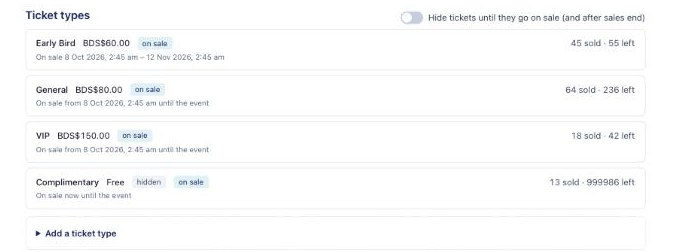
On the event's Overview, under Ticket types, open a type to change its name, price, quantity, maximum per order and the dates it is valid for. Duplicate a type to make a similar one quickly.
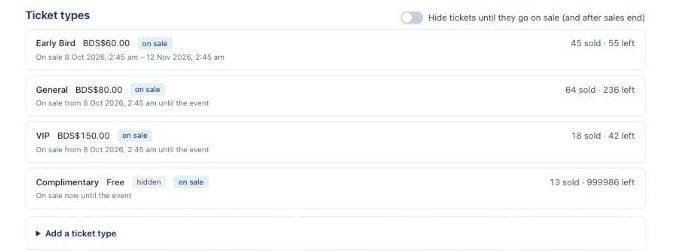
The Ticket types list on an event's Overview 2Set a sales period
Give a ticket type a sales start and end. Before the start it shows "On sale" with the date; after the end it shows "Sales ended". Turn on Hide tickets until they go on sale (and after sales end) to hide those ticket types from patrons completely outside their sales period.
3Hidden ticket types
Tick Hidden to keep a ticket type off the public page. Hidden types are for comps and staff passes; they can still be given out from the Comps tab.
4Mark sold out
Use Mark sold out to stop sales of a type straight away, even if tickets remain. BajanTix also shows Sold out automatically when the quantity runs out.